Remote support
Ethernet cable connection
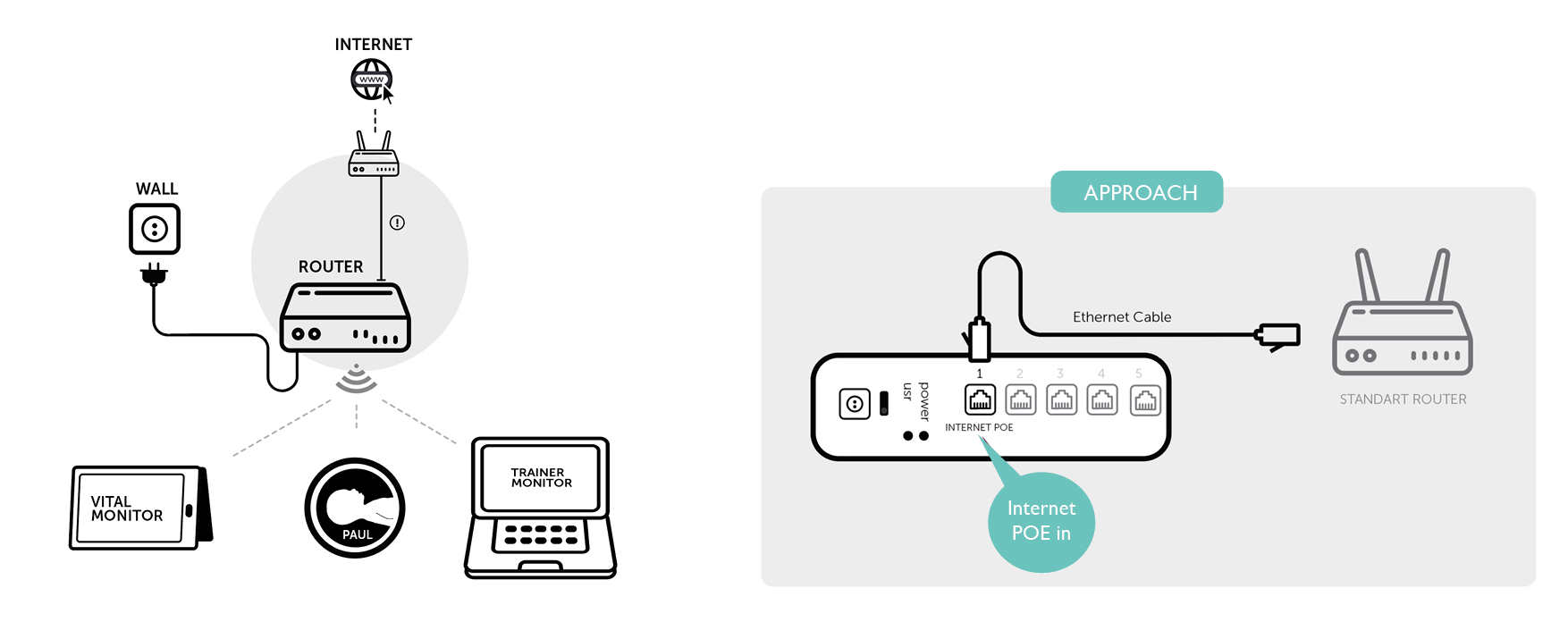
This approach enables the support team to remotely access the trainer monitor and Paul. Both devices need to simultaneously connected to the Paul Network and the Internet.
Connect Paul’s router to a router that has access to the internet. Connect the Ethernet cable to the port on the router labeled "1 – Internet". Follow the instructions on the solution design below.
Wi-Fi adapter connection
This approach enables the support team to remotely access the trainer monitor and Paul. Both devices need to simultaneously connected to the Paul Network and the Internet.
Connection through a USB-WIFI adapter ensures that the trainer monitor stays connected to the Paul Network, whilst being connected to the Internet. Like displayed on the design
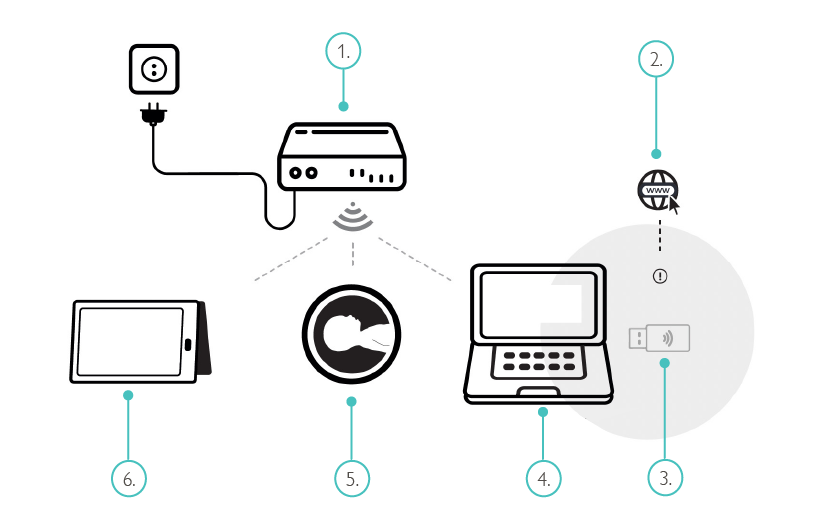
Router
Internet
Wi-Fi USB adapter
Trainer laptop
Simulator
Patient monitor