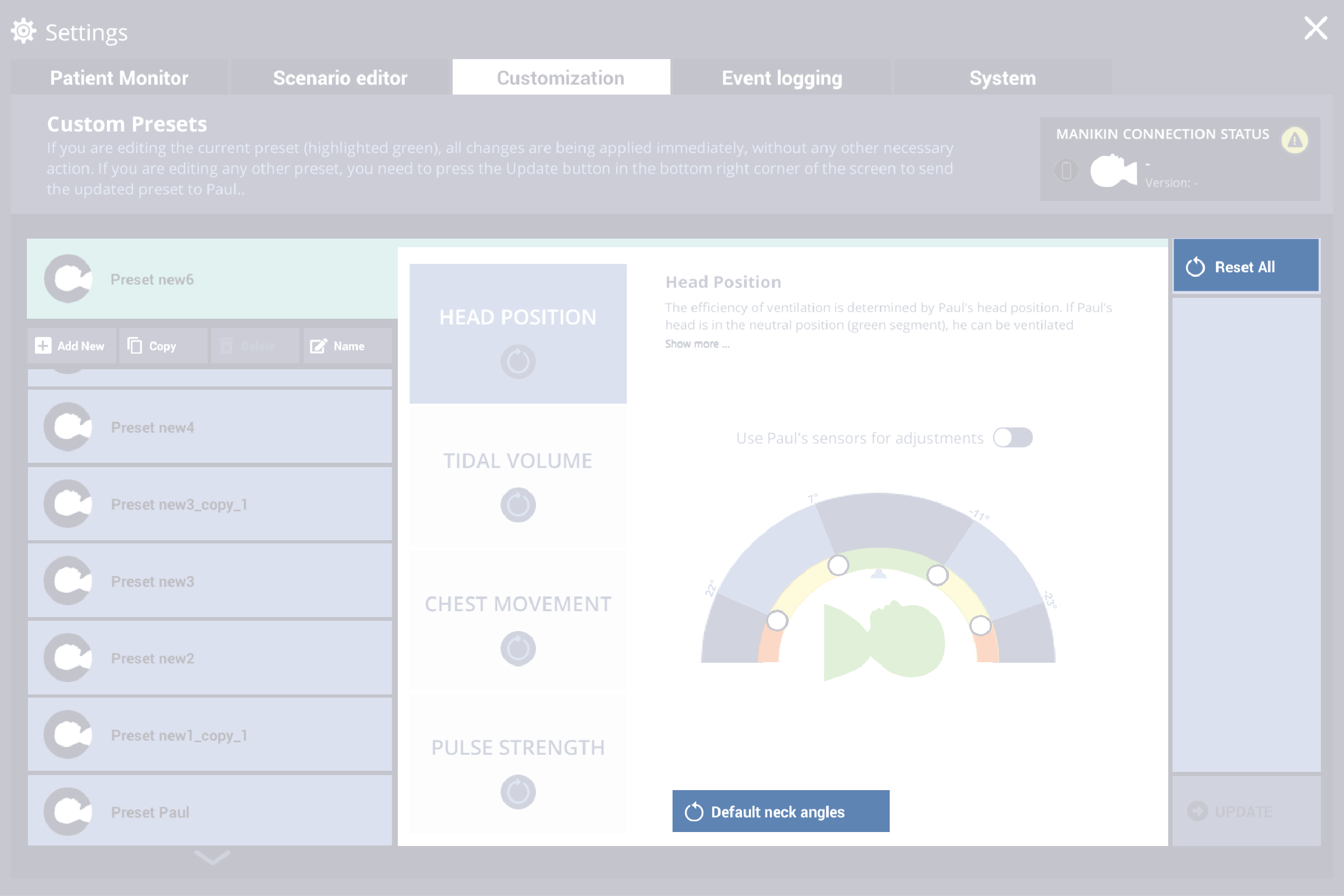
Customization pre-sets
Paul comes with pre-sets for optimum:
Users can customize these settings in the pre-sets according to their needs or the needs of their training participants.
tidal volume,
head position,
chest rise corresponding to the tidal volume,
and pulses.
In the bottom right corner of the GUI, click on the Pre-set area.
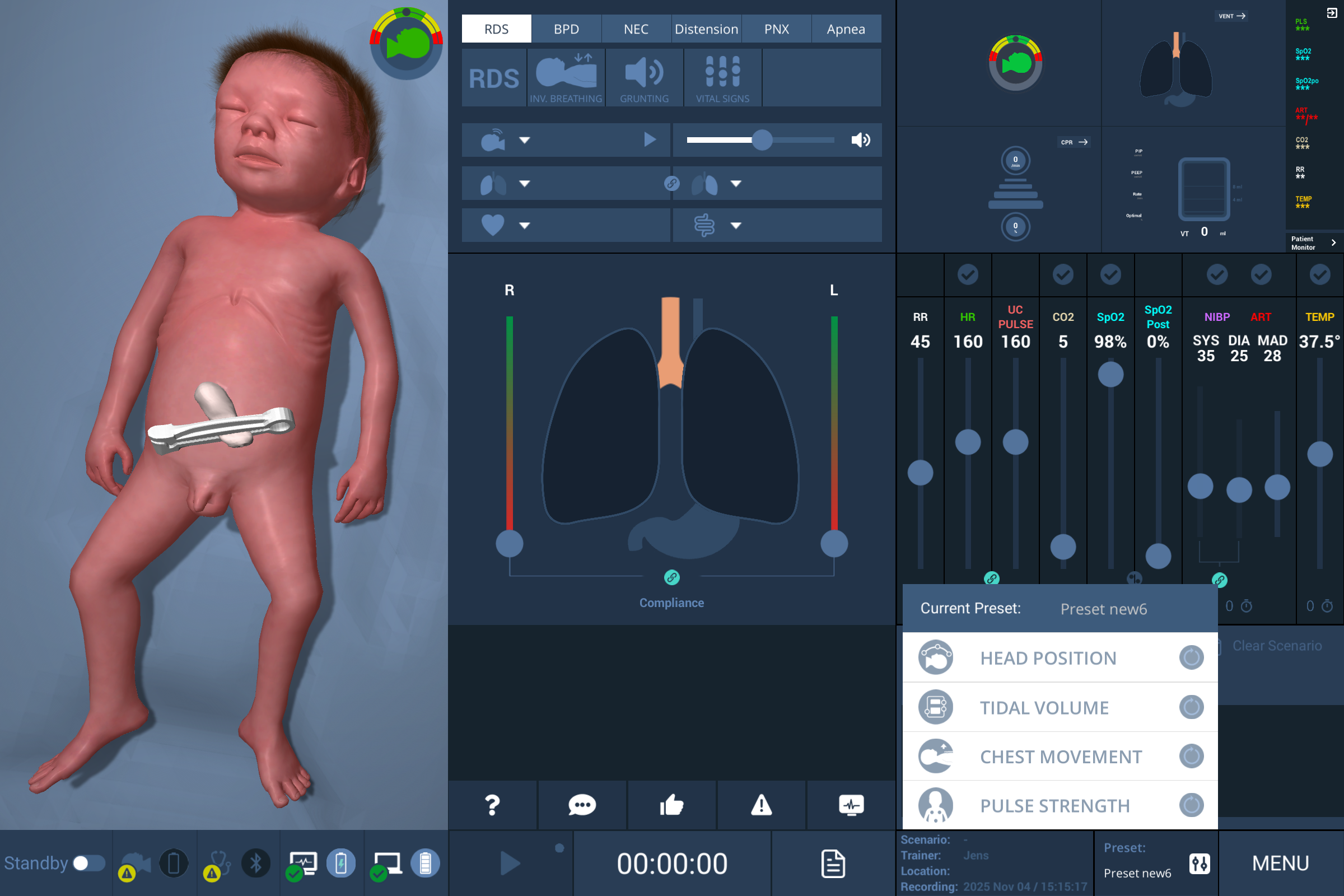
Select a pre-set in the list.
Head position
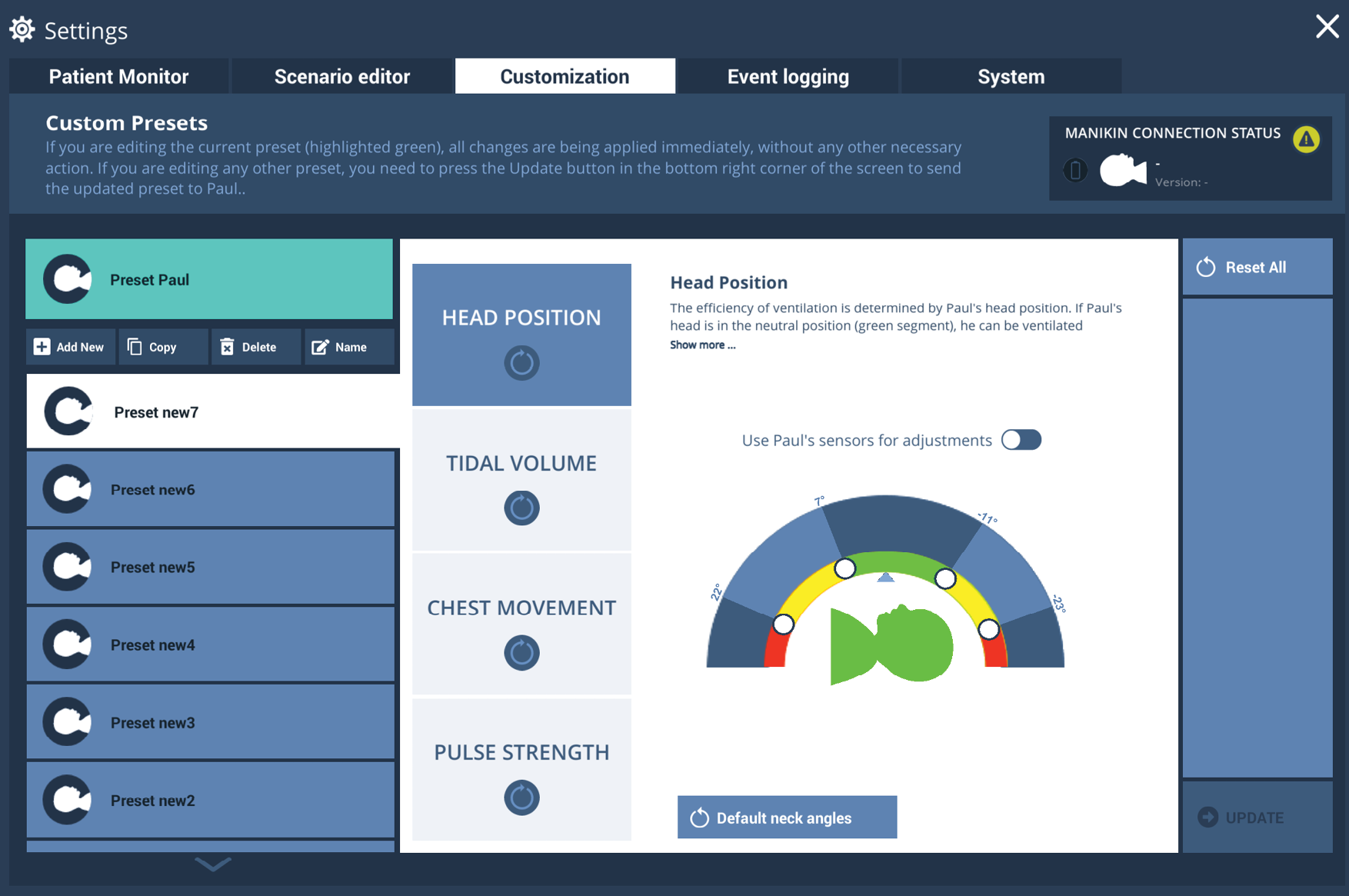
Ventilation effectiveness is directly dependent on head position.
In the neutral “sniffing” position (green range), the airway stays open and ventilation is effective.
With progressive flexion or hyperextension (yellow range), the likelihood of partial airway obstruction increases, reducing ventilation efficiency.
At extreme flexion or hyperextension (red range), the airway becomes fully obstructed, and ventilation is ineffective.
Note
The green, yellow, and red segments are preset by default. Users can adjust these segments with the round sliders (white circles) to drag and set the boundaries of the green, yellow, and red ranges.
Segments can also be set directly with Paul. Users select the slider to adjust, then move Paul‘s head to the desired position. The head movement is shown in real time on the user interface, and the slider can be aligned to the corresponding position. Select the slider again to save; the new position is applied to Paul.
Tidal volume
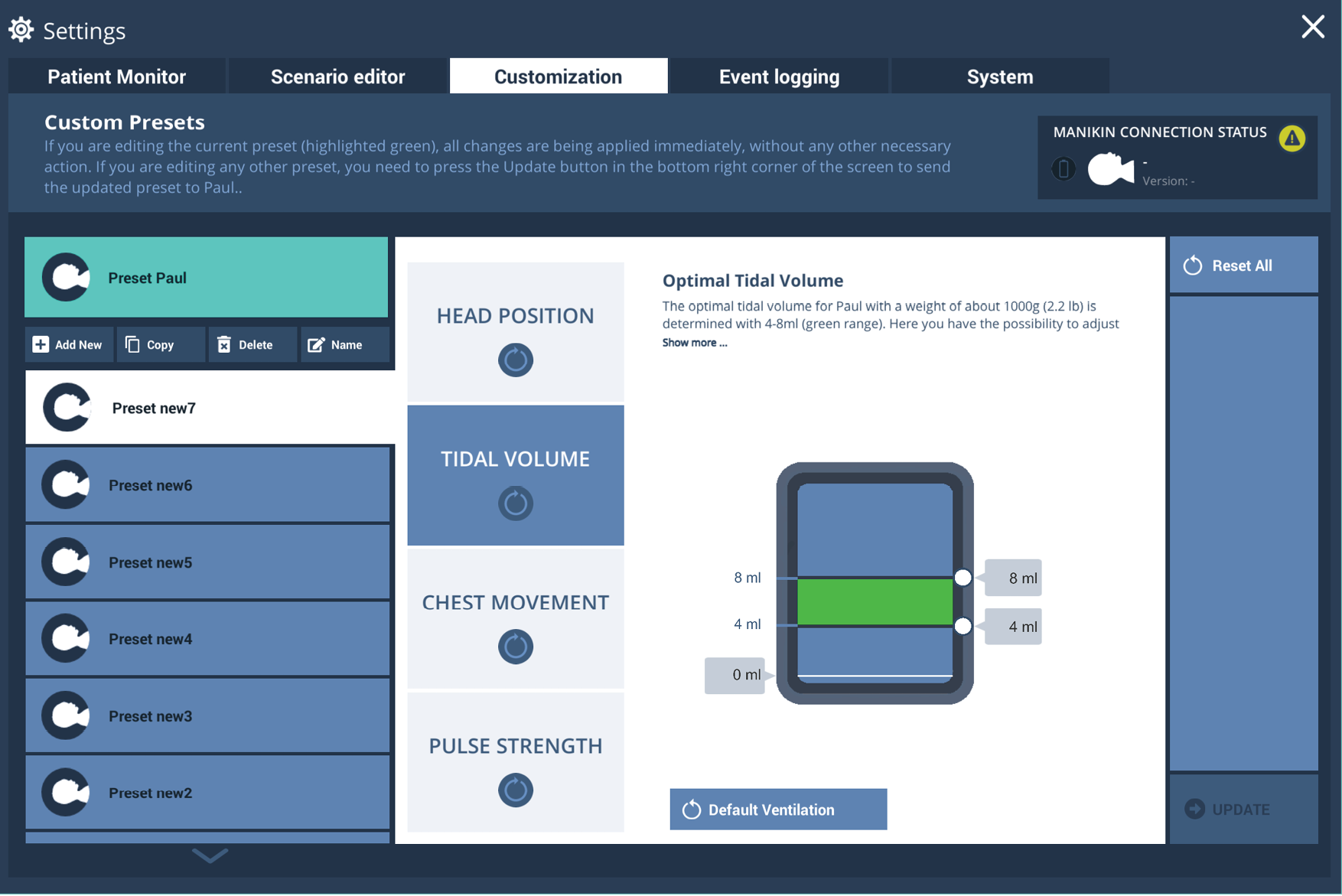
The optimum tidal volume for Paul (approx. 1000g body weight) is set at 4-8ml (green area).
Users can adjust the optimal tidal-volume range by moving the lower and upper limit sliders on the right side of the display to the desired positions. The yellow and red zones are calculated automatically. The new settings are saved and automatically transferred to Paul.
Chest movement
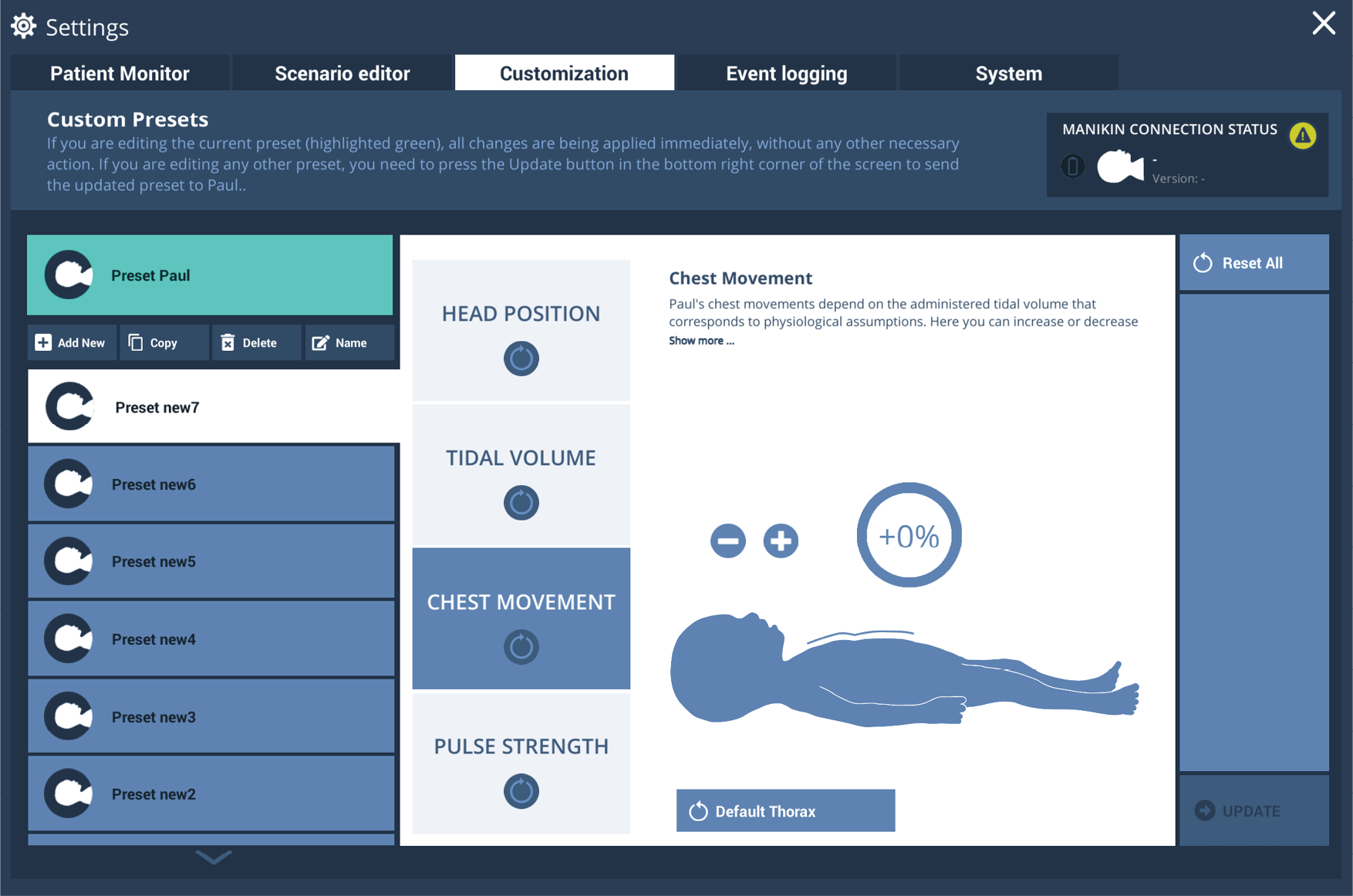
Paul‘s chest movements depend on the tidal volume with which Paul is ventilated. The default setting corresponds to physiological assumptions. You can increase or decrease the amount of visible chest movement during ventilation according to your own needs or the needs of your training participants. Click on +/- to increase or decrease the chest movements in 10% increments.
Pulses
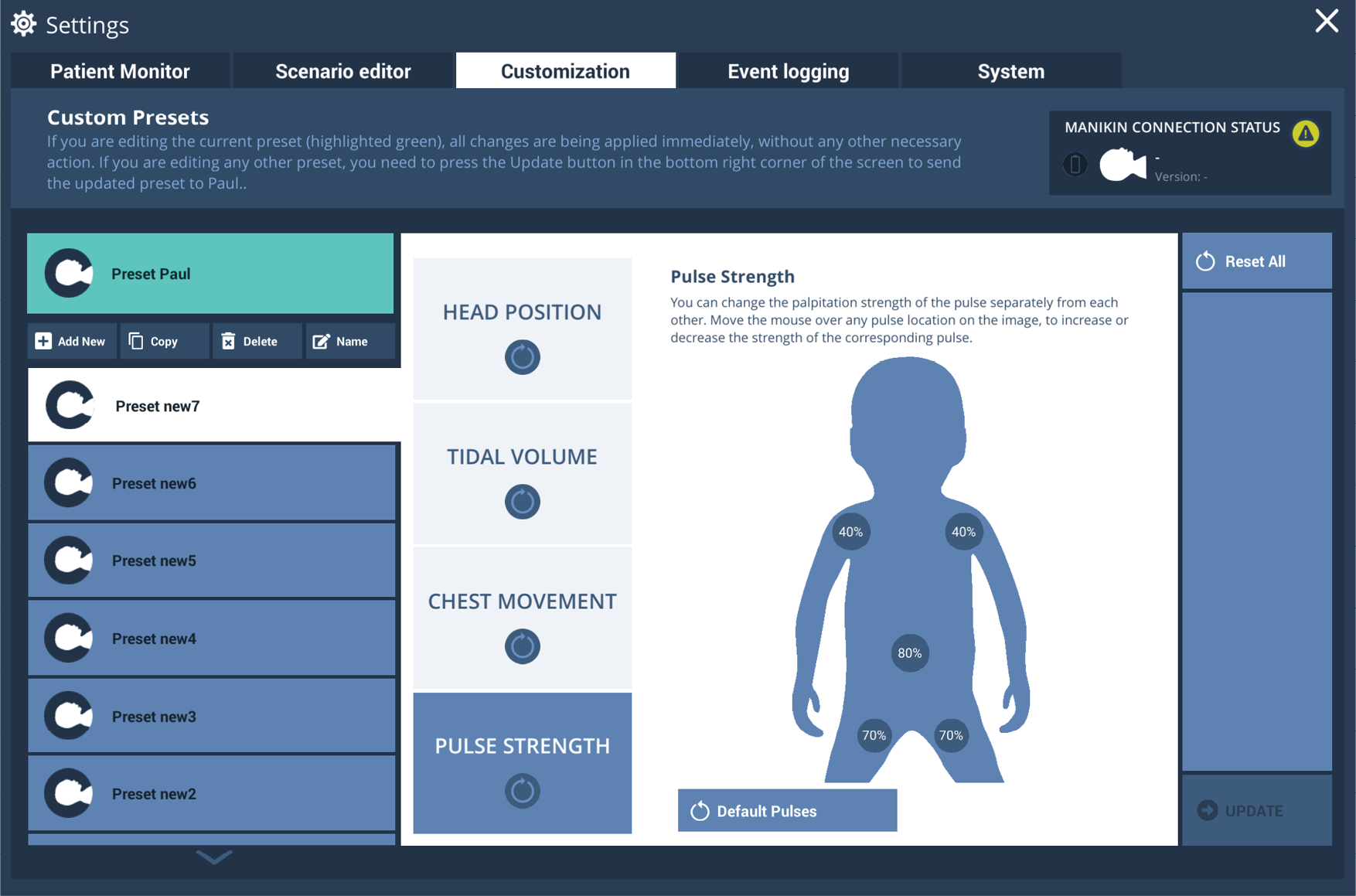
The pulse strength of all five pulses (brachial, umbilical cord and femoral pulses) can be adjusted independently of each other in the pre-settings.
Click on any pulse in the graphic to increase or decrease the strength of the corresponding pulse. The settings are automatically saved and transferred to Paul.
Reset values
When needed, users can revert to default values by selecting:
the Default button to reset the values of one particular pre-set.
the Reset all button, which resets all values in all the pre-sets.