Vascular access
Umbilical venous catheter
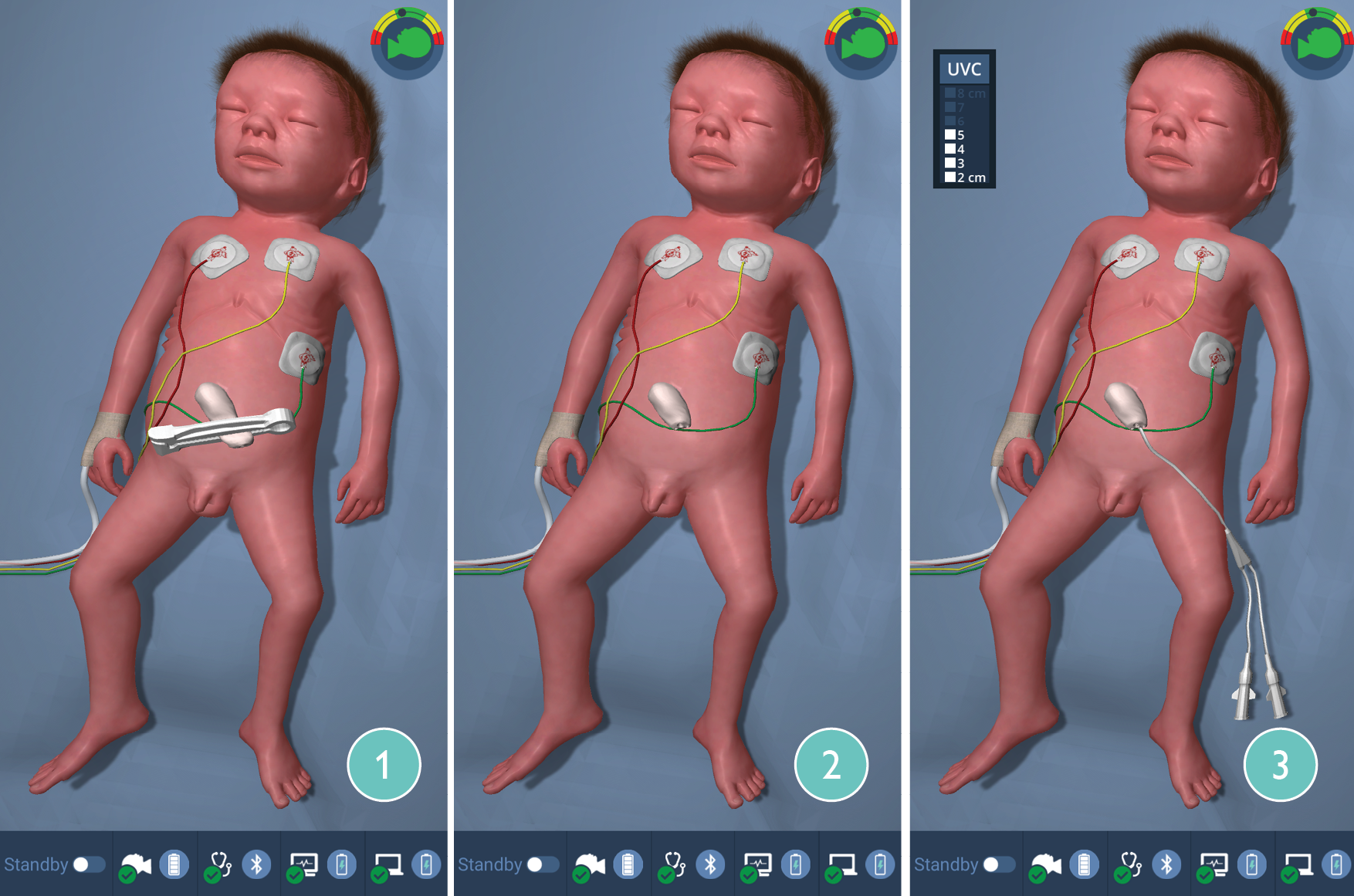 |
Paul has a realistic umbilical cord, that can be cut with a scalpel or scissors.
Sensors in the umbilical cord detect the cutting and trigger the disappearance of the umbilical clamp on the user interface.
Insertion of an umbilical venous catheter (UVC) is displayed in Paul‘s 3D animation. The sensors in the umbilical cord measure the insertion depth of the catheter between 2 and 8 cm and display the current depth in a separate window that appears while the catheter is being inserted.
CAUTION
Never inject drugs or fluids into the umbilical cord, as this can cause serious damage to the technology inside Paul. Should this happen, switch Paul off immediately, do not switch it on again and contact our support team immediately (support@laerdal.com).
NOTES
The umbilical cord cutting icon also appears in the integrated debriefing system.
The belly button can be used in scenarios beyond the immediate postnatal phase, when the umbilical cord has already fallen off. When used, a belly button and no umbilical cord will appear in the animation on the user interface.
TIP
Umbilical arterial catheters (UAC) can also be inserted into the umbilical cord. However, these cannot be detected by the sensor system and cannot be advanced as deeply. In scenarios with an UAC already in place, the artery in the corresponding bubble must be activated manually. The arterial curve then appears automatically on the patient monitor.
Auscultation
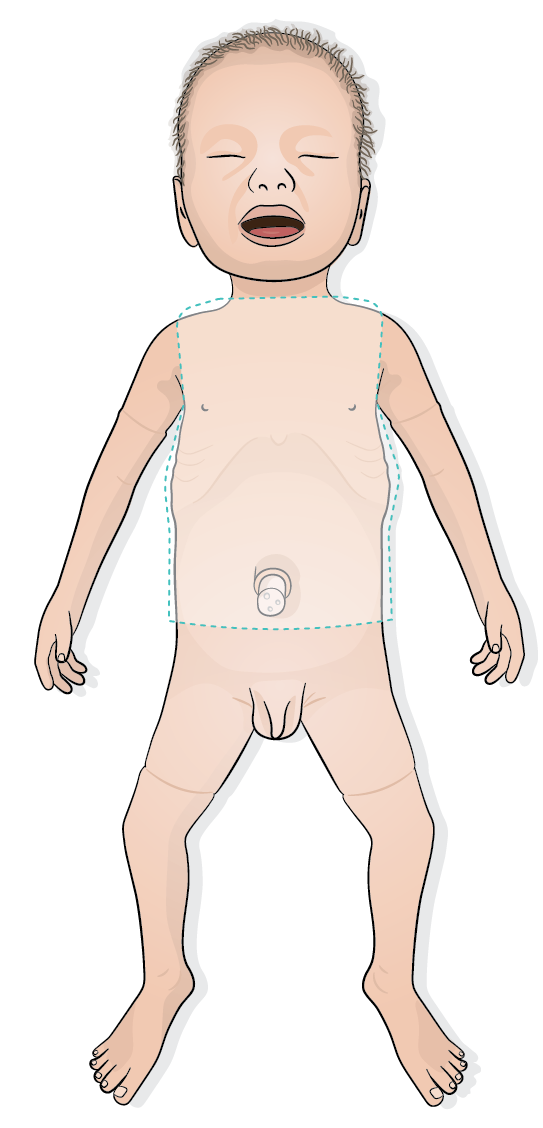 |
Lung, heart and bowel sounds are not generated in Paul, but directly in the stethoscope. This prevents disturbing technical background noises during auscultation. When the stethoscope is placed on Paul, sensors in the simulator recognize the position of the stethoscope and the corresponding sounds are played in the stethoscope.
During auscultation, the stethoscope icon is shown on the GUI and a time-stamped event is recorded in the debriefing system
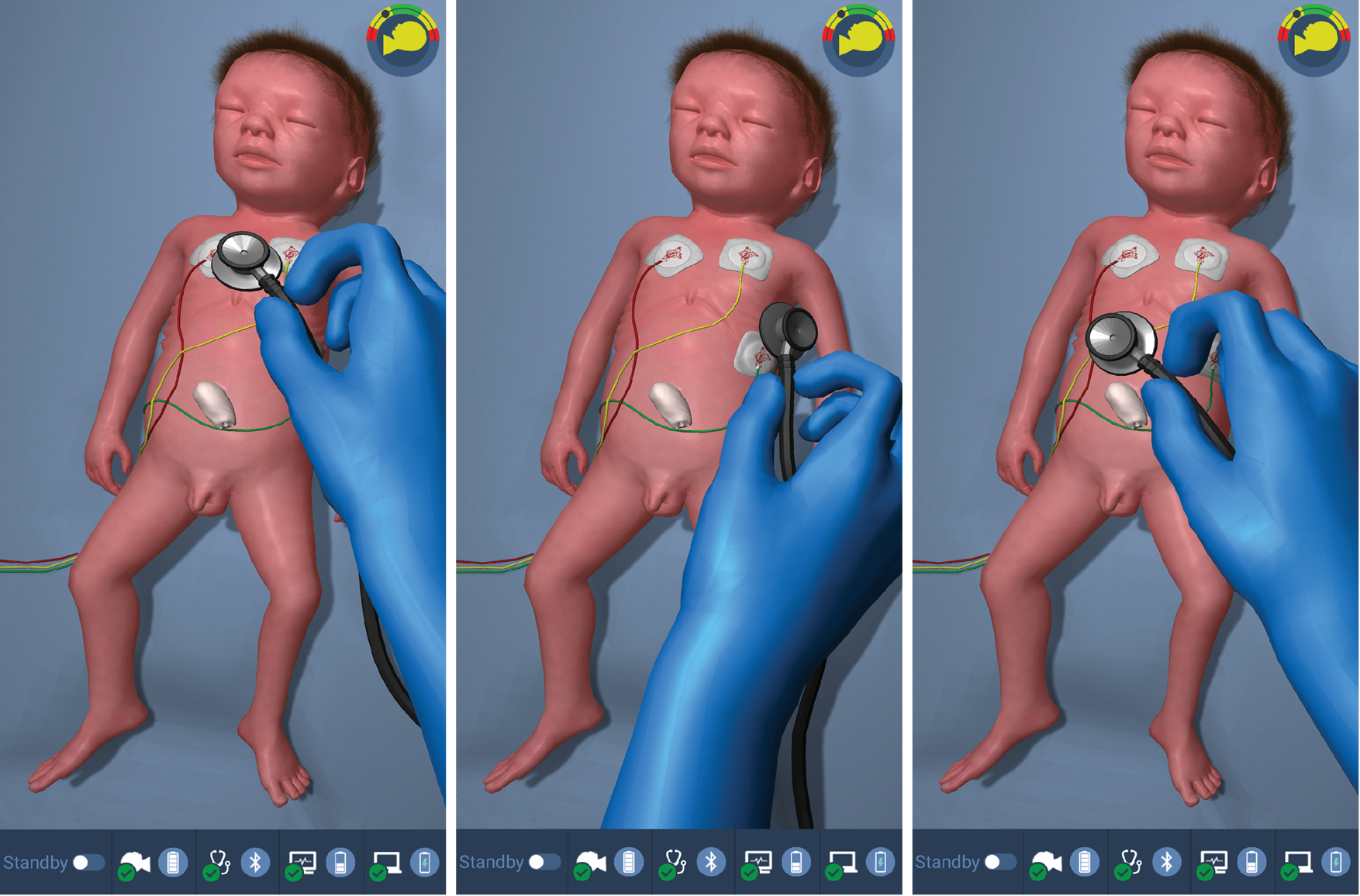 |
If a pre-programmed symptom complex is selected, the corresponding sound starts playing automatically.
NOTE
Refer to Using the stethoscope for more information.
Refer to Symptom complexes for more information.
TIP
To reduce false perception of sounds, verify that the stethoscope icon is displayed on the user interface. If it’s absent, no sound is active.