Remote support
Ethernet cable connection
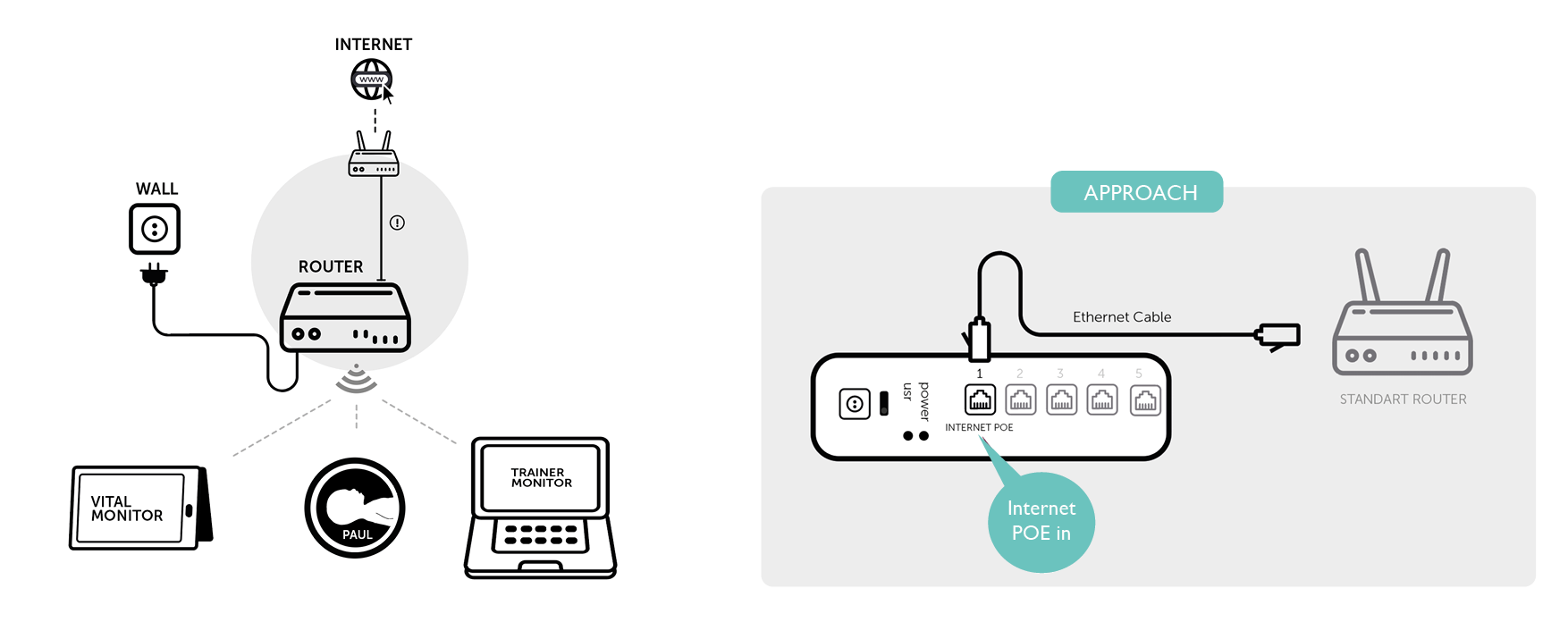
This approach enables the support team to remotely access the trainer monitor and Emma/Emily. Both devices need to simultaneously connected to the Paul network or neo network and the Internet.
Connect Emma/Emily’s router to a router that has access to the internet. Connect the Ethernet cable to the port on the router labeled "1 – Internet". Follow the instructions on the solution design below.
Wi-Fi adapter connection
This approach enables the support team to remotely access the trainer monitor and Emma/Emily. Both devices need to simultaneously connected to the Paul network, neo network and the Internet.
Connection through a USB-WIFI adapter ensures that the trainer monitor stays connected to the Emma/Emily Network, whilst being connected to the Internet. Like displayed on the design
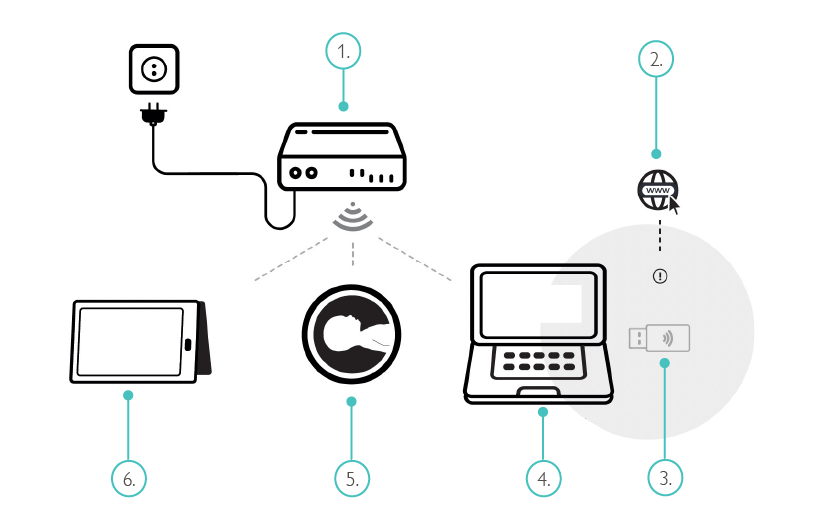
Router
Internet
Wi-Fi USB adapter
Trainer laptop
Simulator
Patient monitor