Charging the simulator
Emma/Emily can be charged via its connector located on its lower back.
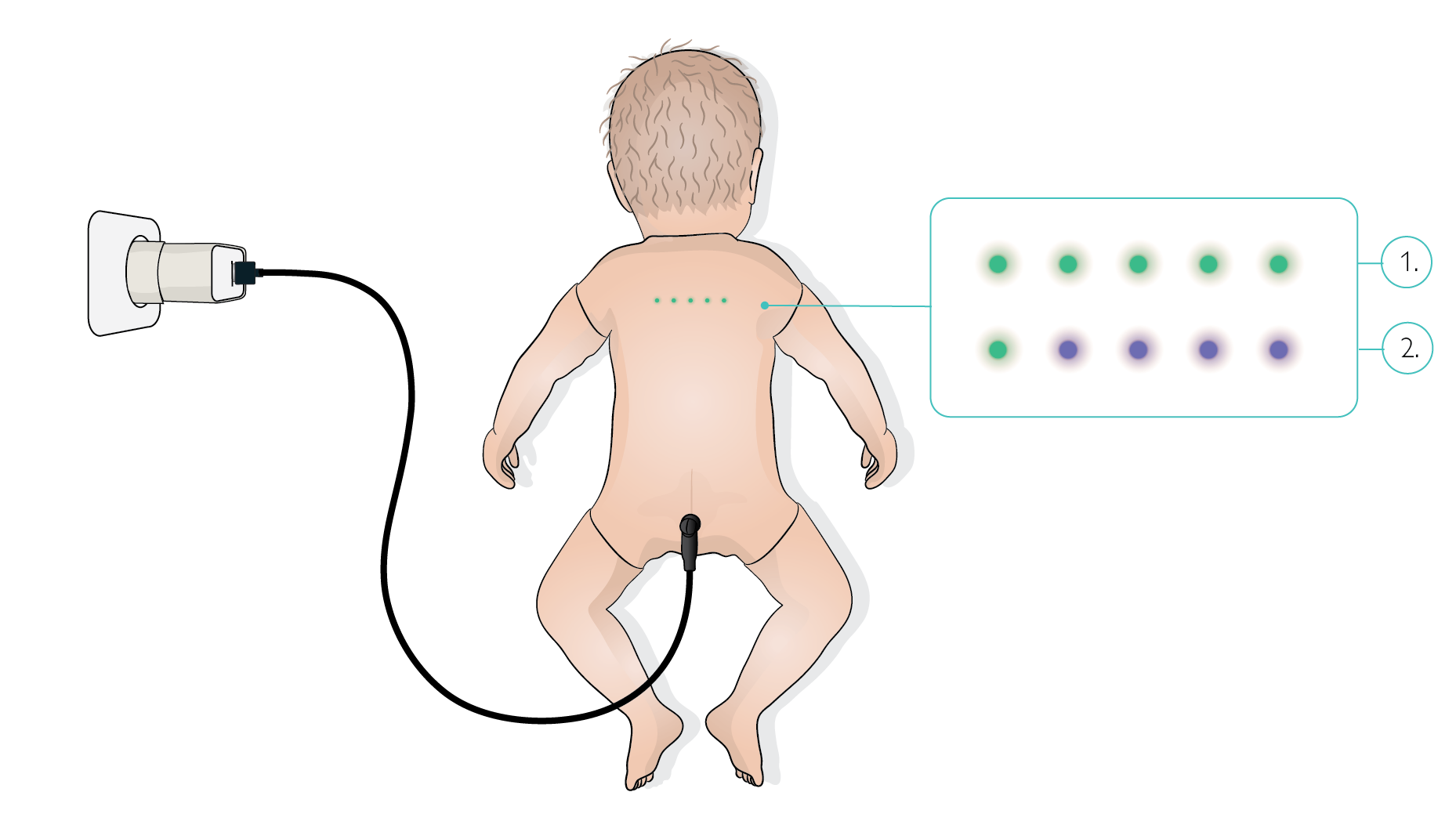
The simulator has five LEDs indicating battery level, each representing 20% of charge. All LEDs are green when fully charged, and for every 20% of power lost, one LED from right to left turns purple.
Charging without starting the full system |
|
|---|---|
After charging |
|
Quick battery check | Connect the simulator to its power supply and read the battery indicator. If the level is sufficient, switch off again with the magnet as shown in the Turning off section. |
While connected to the GUI | The battery indicator on the back is also visible when Emma/Emily is connected to the control software and placed in Standby. |
NOTE
After each scenario, reconnect Emma/Emily to the charging cable during debriefing to ensure continuous battery operation for the remainder of the training session. A reminder message “Please connect Emma/Emily to the charging cable” appears on the GUI at the end of each scenario.
Charge the simulator when the battery level is at 20% or when only 1/5 battery indicator LEDs on the back of the simulator is green.