Configuring heart rhythms
Emma/Emily allows for simulation on a wide range of heart rhythms for realistic training scenarios. While arrhythmias are less common in the neonatal period, they can occur and the simulator enables the simulation of numerous rhythm disturbances for training purposes.
Heart rhythms are selected and adjusted via the monitor section of the user interface. Available options include normal sinus rhythm, bradycardia, SVT, and heart block patterns, among others.
Once a rhythm is selected, it is displayed on the simulated ECG monitor and automatically influences other physiological parameters accordingly.
To set heart rhythms:
Select the desired arrhythmia by choosing the current rhythm from the input window and set the desired heart rate using the HR slider.
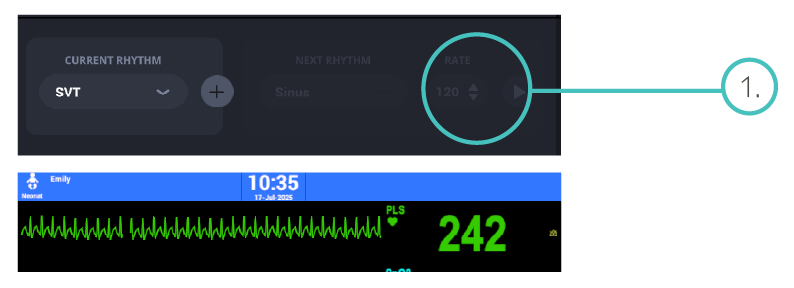
Click the “+” icon to open the next window for selecting the subsequent rhythm.
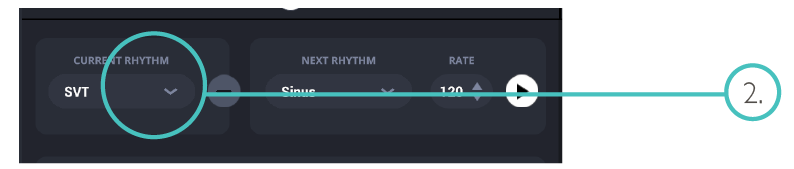
Select the subsequent rhythm and set the desired heart rate.

Click the green Play button to switch to the selected subsequent rhythm.

If needed, repeat the process to define an additional subsequent rhythm.